
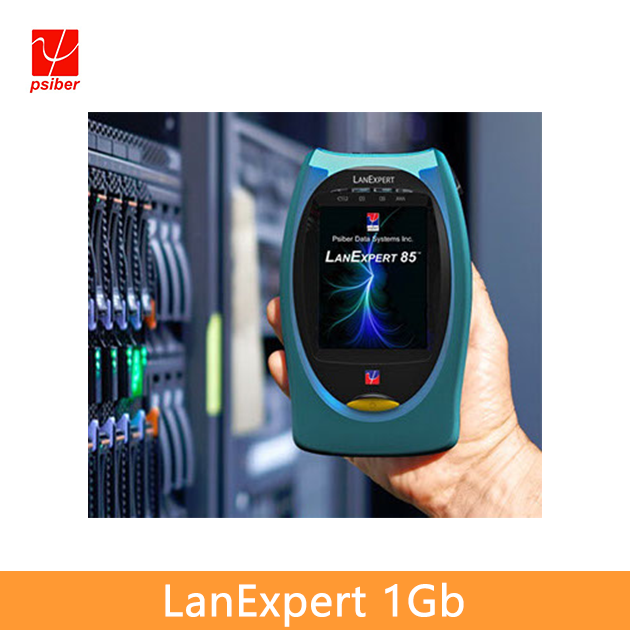
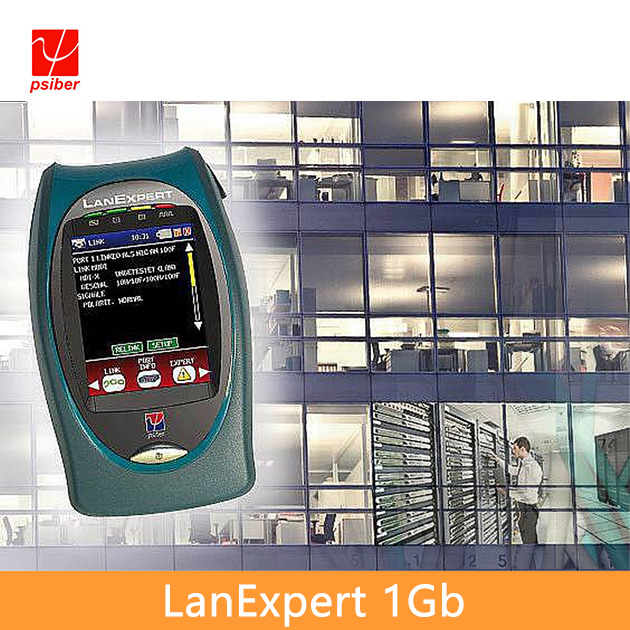




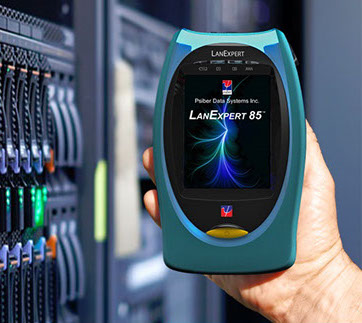
LanExpert 1Gb Cable and Network Analyzers
◆Identify Traffic Protocols with Amount and Percentage Breakdowns.
◆Capture Up to 10,000 Packets for Analysis or Download to a PC
◆Comprehensive Data Filtering to Quickly Identify Problems
◆Measure PoE Voltage and Power to Determine Switch Port Power Allocation
◆Process VoIP Traffic to Determine Call Statistics and Quality
◆IPv6 Detection Capabilities
◆Qualify Network Segments with an RFC 2544 Stress Test Prior to Activating
◆Automatically Identify Standard Link, Frame, and Traffic Problems
◆Identify Connected Network Devices by Type, IP Address or MAC Address
◆Test Cables for Opens, Shorts, Reversed Pairs, Split Pairs and Measure Cable Length

-
An extensive suite of test capabilities include: Link Detection, Ping and Trace Route to verify network connectivity; Single Ended or Inline Packet Monitoring, Filtering and Capture to identify and solve complex problems; User defined Traffic Generation and structured RFC 2544 Stress Test to predict network performance under varying load conditions; Loopback, VoIP and Email tests to ensure proper performance of key network services.The Inline Mode allows users to non-intrusively monitor network traffic to identify protocols, port usage, VoIP statistics and network utilization. The LanExpert can capture and store up to 10,000 packets with user defined filters for detailed analysis in the field or downloaded over the network or to a USB flash drive. Tests including Ping, Link, Trace Route, DHCP and Discovery are used to quickly identify network problems. The LanExpert can generate up to 100% traffic loading with control of packet rate and size to demonstrate network performance at various traffic levels.Additionally, a stress test that generates traffic and measures performance metrics, in accordance with RFC 2544, is also provided. The stress test can be conducted using the two independent ports on a single unit or used with a second unit located remotely on a network. The LanExpert is a comprehensive network analyzer that allows users to deliver robust and reliable network services with a single test device. LAN installers, technicians, managers and service providers can now get expert network help at an affordable price.
-

Protocol
Lists all protocols detected with the total number of packets and the percentage of the total traffic. Certain protocols such as IPv4 and IPv6 can be expanded to show the sub-protocols.
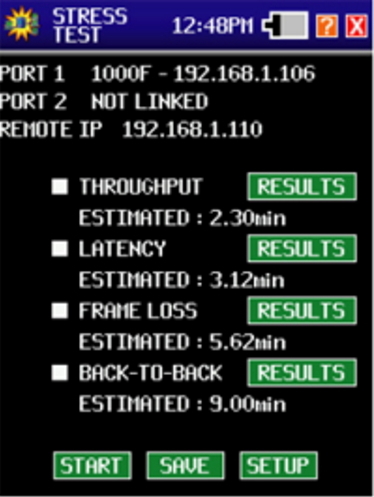
Stress Test-RFC2544
Throughput, latency, loss back to back frames. Stress test generates traffic and measures performance metrics, in accordance with RFC 2544.
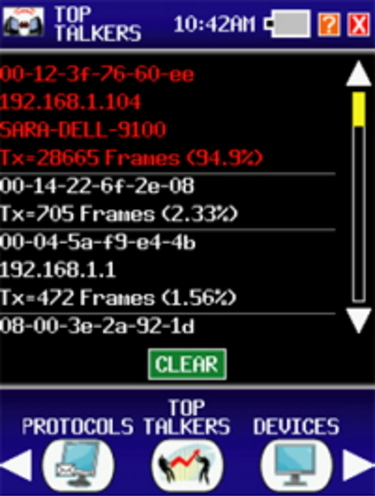
Top Talkers
Top talkers displays the MAC address, IP address, Device Name, the number and percentage of transmitting frames on the network in order from the highest used bandwidth to the lowest.
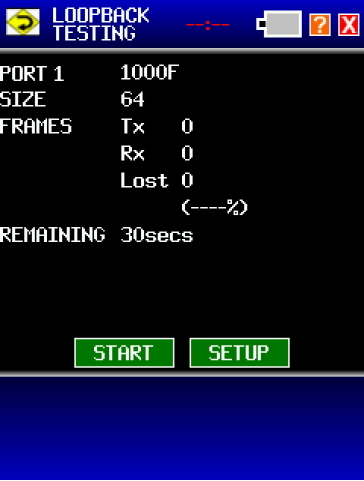
Loopback
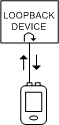
The two LanExpert ports can both be independent source devices but do not provide the external loopback function. This is a way to determine whether the external device is working correctly or a way to pin down a failing node in a network.
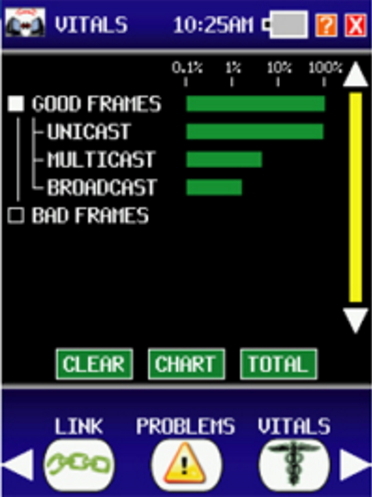
Vitals
Vitals provides an indication of the operational condition of a network. A real time analysis of good and bad frames received is used to determine if the network is healthy or problems exist that may be affecting performance.
>
Frame Capture
Capture up to 10,000 packets for analysis including packet size, source and destination IP address, time detected and packet type. User defined filters capture specific data needed to identify problems and monitor performance.

Devices
Devices are listed by device type, MAC or IP address. Devices are detected by monitoring traffic or through a discover broadcast.
-
LEK8015 Inline Network Analysis "Expert Advice" Mode Network Connectivity Tests Capture Up to 10,000 Packets for Analysis or Download to a PC. Traffic Generator Stress Test - RFC 2544 Loopback Cable Test including Wiremap, Tone, Length, PoE and Port ID Inline PoE Measurement Generate Professional Reports Automatically Identify Standard Link, Frame, and Traffic Problems Displays protocol traffic using charts and percentage breakdowns Identify Connected Network Devices by Type, IP Address or MAC Address Comprehensive Data Filtering to Quickly Identify Problems Process VoIP Traffic to Determine Call Statistics and Quality. Packet Capture and Monitoring LE85 Support Copper and Fiber Measures RX and TX optical power Inline Network Analysis "Expert Advice" Mode Network connectivity testing Capture Up to 10,000 Packets for Analysis or Download to a PC. Traffic Generator Stress Test - RFC 2544 Loopback Tests Wiremap, Length, PoE, Tone and Port ID Inline PoE Measurement Generate Professional Reports Automatically Identify Standard Link, Frame, and Traffic Problems Displays protocol traffic using charts and percentage breakdowns Identify Connected Network Devices by Type, IP Address or MAC Address Comprehensive Data Filtering to Quickly Identify Problems Process VoIP Traffic to Determine Call Statistics and Quality. Packet Capture and Monitoring -
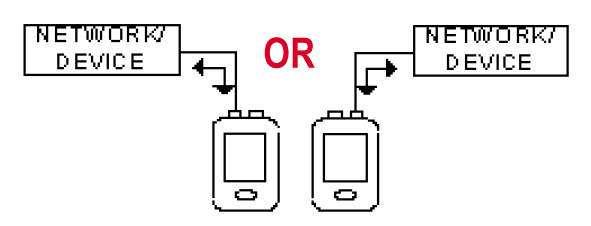
Single Ended
Loop Back
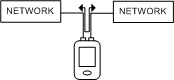
Independent Mode
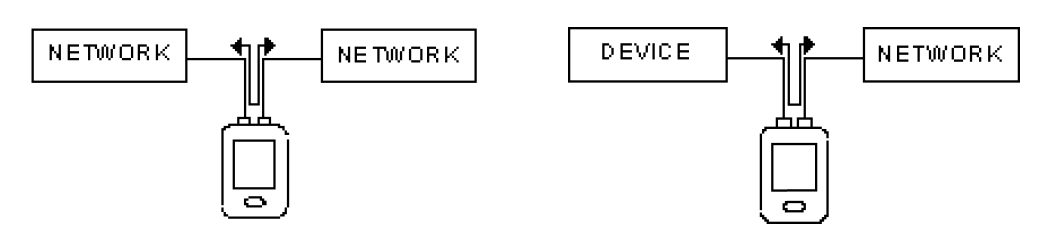
Inline
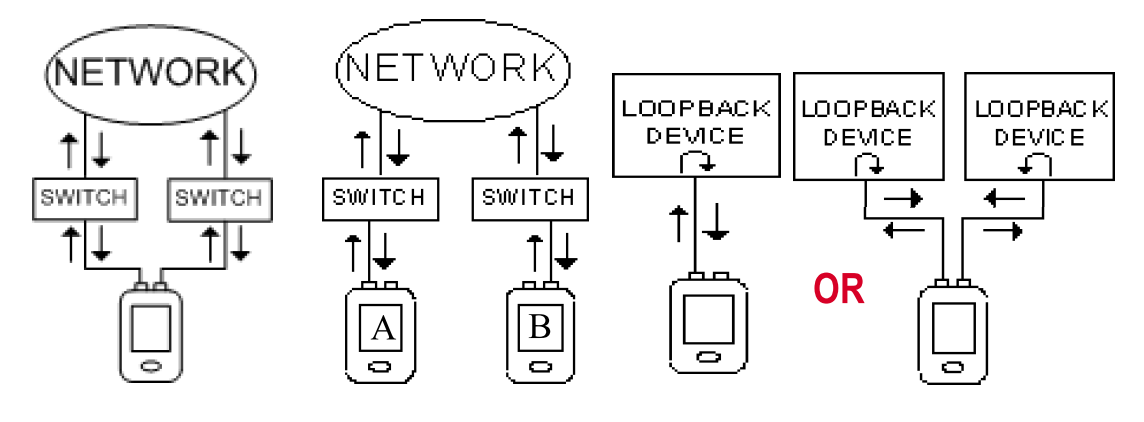
Stress Test
Available in LE80 Only
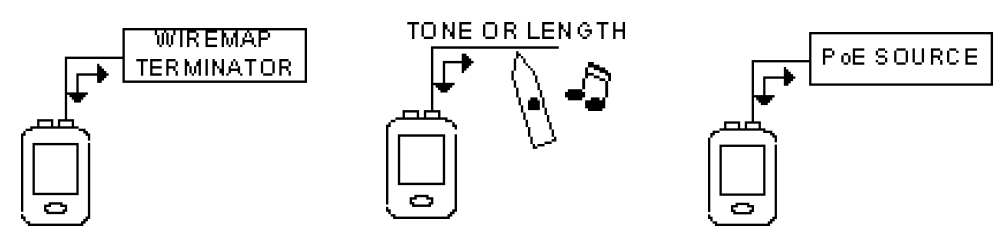
腳位、尋線探針、PoE測試
-
LE80 LanExpert - Inline Gigabit Network Analyzer LE8015 LanExpert - LE80 Network Analyzer w/CT15-Cable Tracker Probe LE85M LanExpert- Inline Copper/MM Fiber Gigabit Network Analyzer - LE85M includes (2) MM and (1) 10/100/1000BASE-T SFP module LE85S LanExpert- Inline Copper/MM Fiber Gigabit Network Analyzer - LE85S includes (2) SM and (1) 10/100/1000BASE-T SFP module LE80T LanExpert - WireMap Terminator 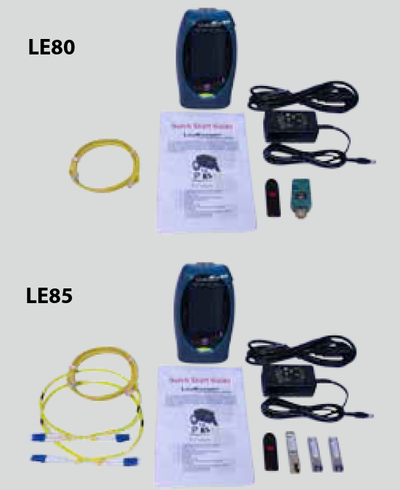
- 1x Gigabit Inline Network Analyzer
- 2x Sp SM(LE85S or MM(LE85M) modules*1
- 1x 10/100/1000 baseT module*1
- 2x Fiber patch cables*1
- 1x Wiremap Terminator*2
- 1x RJ45 Patch cable
- 1x USB Flash drive
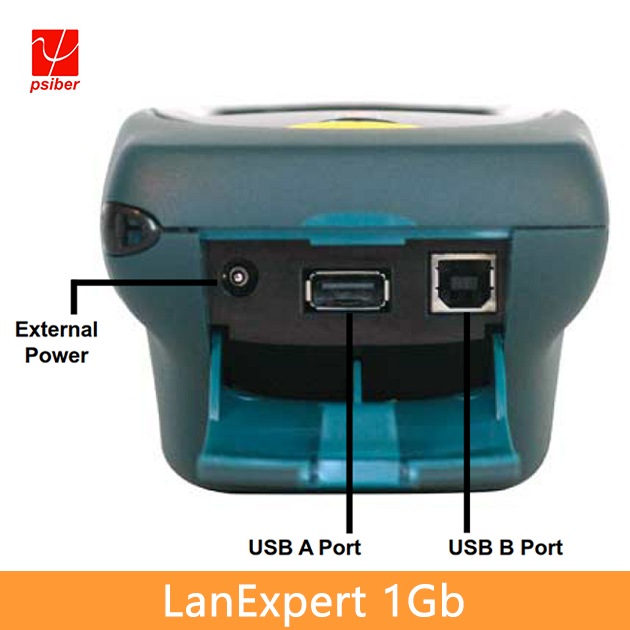
- 1x AC charging adapter
- 1x Wrist strap
- 1x Quick start guide
- 1x Carrying case
*1Available in LE85 only
*2Available in LE80 only
-
Product Description
An extensive suite of test capabilities include: Link Detection, Ping and Trace Route to verify network connectivity; Single Ended or Inline Packet Monitoring, Filtering and Capture to identify and solve complex problems; User defined Traffic Generation and structured RFC 2544 Stress Test to predict network performance under varying load conditions; Loopback, VoIP and Email tests to ensure proper performance of key network services.The Inline Mode allows users to non-intrusively monitor network traffic to identify protocols, port usage, VoIP statistics and network utilization. The LanExpert can capture and store up to 10,000 packets with user defined filters for detailed analysis in the field or downloaded over the network or to a USB flash drive. Tests including Ping, Link, Trace Route, DHCP and Discovery are used to quickly identify network problems. The LanExpert can generate up to 100% traffic loading with control of packet rate and size to demonstrate network performance at various traffic levels.Additionally, a stress test that generates traffic and measures performance metrics, in accordance with RFC 2544, is also provided. The stress test can be conducted using the two independent ports on a single unit or used with a second unit located remotely on a network. The LanExpert is a comprehensive network analyzer that allows users to deliver robust and reliable network services with a single test device. LAN installers, technicians, managers and service providers can now get expert network help at an affordable price.
-
User Interface Guide
Protocol
Lists all protocols detected with the total number of packets and the percentage of the total traffic. Certain protocols such as IPv4 and IPv6 can be expanded to show the sub-protocols.
Stress Test-RFC2544
Throughput, latency, loss back to back frames. Stress test generates traffic and measures performance metrics, in accordance with RFC 2544.
Top Talkers
Top talkers displays the MAC address, IP address, Device Name, the number and percentage of transmitting frames on the network in order from the highest used bandwidth to the lowest.
Loopback
The two LanExpert ports can both be independent source devices but do not provide the external loopback function. This is a way to determine whether the external device is working correctly or a way to pin down a failing node in a network.
Vitals
Vitals provides an indication of the operational condition of a network. A real time analysis of good and bad frames received is used to determine if the network is healthy or problems exist that may be affecting performance.
>Frame Capture
Capture up to 10,000 packets for analysis including packet size, source and destination IP address, time detected and packet type. User defined filters capture specific data needed to identify problems and monitor performance.
Devices
Devices are listed by device type, MAC or IP address. Devices are detected by monitoring traffic or through a discover broadcast.
-
Features
LEK8015 Inline Network Analysis "Expert Advice" Mode Network Connectivity Tests Capture Up to 10,000 Packets for Analysis or Download to a PC. Traffic Generator Stress Test - RFC 2544 Loopback Cable Test including Wiremap, Tone, Length, PoE and Port ID Inline PoE Measurement Generate Professional Reports Automatically Identify Standard Link, Frame, and Traffic Problems Displays protocol traffic using charts and percentage breakdowns Identify Connected Network Devices by Type, IP Address or MAC Address Comprehensive Data Filtering to Quickly Identify Problems Process VoIP Traffic to Determine Call Statistics and Quality. Packet Capture and Monitoring LE85 Support Copper and Fiber Measures RX and TX optical power Inline Network Analysis "Expert Advice" Mode Network connectivity testing Capture Up to 10,000 Packets for Analysis or Download to a PC. Traffic Generator Stress Test - RFC 2544 Loopback Tests Wiremap, Length, PoE, Tone and Port ID Inline PoE Measurement Generate Professional Reports Automatically Identify Standard Link, Frame, and Traffic Problems Displays protocol traffic using charts and percentage breakdowns Identify Connected Network Devices by Type, IP Address or MAC Address Comprehensive Data Filtering to Quickly Identify Problems Process VoIP Traffic to Determine Call Statistics and Quality. Packet Capture and Monitoring -
Connecting the Analyzer
Single Ended
Loop Back
Independent Mode
Inline
Stress Test
Available in LE80 Only
腳位、尋線探針、PoE測試
-
Ordering Info
LE80 LanExpert - Inline Gigabit Network Analyzer LE8015 LanExpert - LE80 Network Analyzer w/CT15-Cable Tracker Probe LE85M LanExpert- Inline Copper/MM Fiber Gigabit Network Analyzer - LE85M includes (2) MM and (1) 10/100/1000BASE-T SFP module LE85S LanExpert- Inline Copper/MM Fiber Gigabit Network Analyzer - LE85S includes (2) SM and (1) 10/100/1000BASE-T SFP module LE80T LanExpert - WireMap Terminator
- 1x Gigabit Inline Network Analyzer
- 2x Sp SM(LE85S or MM(LE85M) modules*1
- 1x 10/100/1000 baseT module*1
- 2x Fiber patch cables*1
- 1x Wiremap Terminator*2
- 1x RJ45 Patch cable
- 1x USB Flash drive
- 1x AC charging adapter
- 1x Wrist strap
- 1x Quick start guide
- 1x Carrying case
*1Available in LE85 only
*2Available in LE80 only